
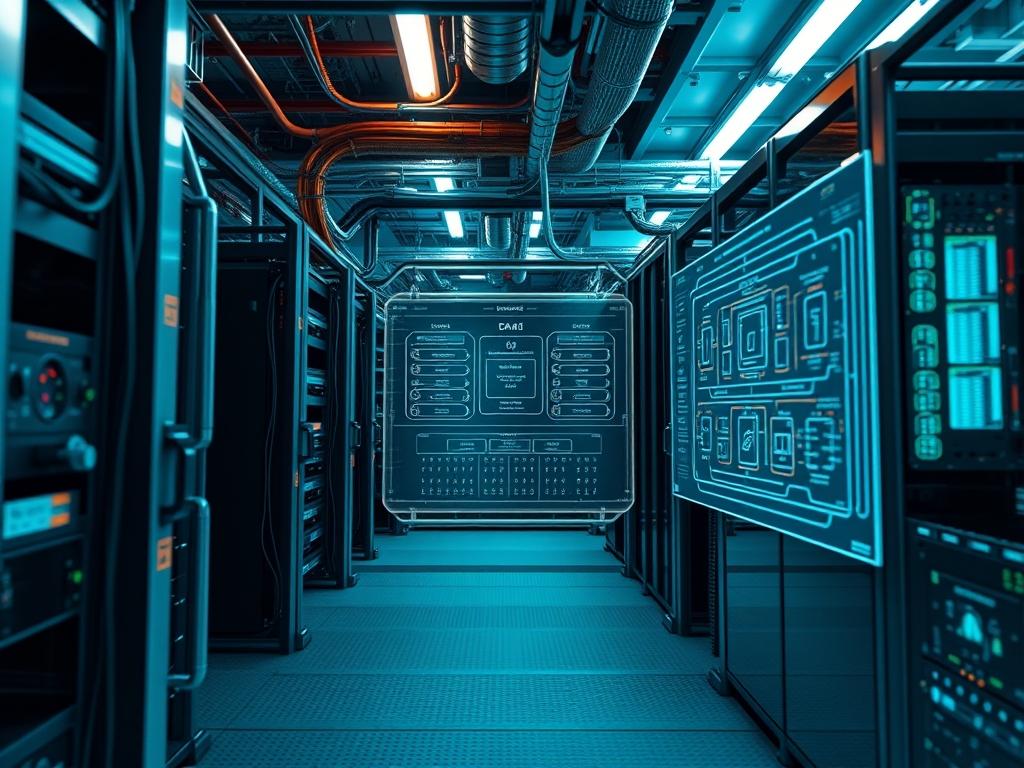
CloudStack Pod Configuration represents the foundational layer of resource isolation within the Apache CloudStack hierarchy. A Pod effectively maps to a physical server rack; it contains a set of clusters and provides the management network and public network IP addresses for the guest virtual machines and infrastructure components. In the broader technical stack of high-density data centers, the Pod serves as the bridge between regional zones and individual compute clusters. Establishing a Pod is a critical operation for preventing broadcast storms and managing layer-2 isolation. The primary problem solved by efficient Pod design is the exhaustion of addressable management space and the reduction of latency across management scripts. By segmenting the environment into Pods, architects ensure that the overhead of internal service communication does not impede the throughput of actual customer payloads. A well-configured Pod provides a resilient environment where signal-attenuation is minimized through proper cabling and thermal-inertia is managed via strategic hardware placement within the rack.
Technical Specifications
| Requirement | Default Port/Operating Range | Protocol/Standard | Impact Level (1-10) | Recommended Resources |
|—|—|—|—|—|
| Management Server | 8080 / 8443 | TCP / HTTPS | 10 | 8 vCPU / 16GB RAM |
| Database Node | 3306 | MySQL/MariaDB | 9 | High-IOPS SSD / 32GB RAM |
| NFS Storage | 111 / 2049 | RPC / NFSv4 | 8 | 10Gbps Latency-Optimized NIC |
| Pod IP Range | /24 to /16 | CIDR / IPv4 | 10 | 254+ IP Addresses |
| IPMI/OOB | 623 | UDP / RMCP+ | 7 | Dedicated Management Switch |
| Local Storage | N/A | SATA/SAS/NVMe | 6 | 1TB+ Thermal-Resistant Media |
The Configuration Protocol
Environment Prerequisites:
Before initiating the setup, ensure that all hardware components meet the IEEE 802.3ae standard for 10-Gigabit Ethernet to prevent packet-loss during high-concurrency storage operations. The management server must run a supported Linux distribution; CentOS 7 or Ubuntu 22.04 LTS are recommended. You must possess root-level permissions on all nodes. Ensure that the MySQL connector for Java is installed and the database schema is initialized. Furthermore, the physical environment must be audited to ensure that the thermal-inertia of the rack enclosures is sufficient for the heat load of the planned server density.
Section A: Implementation Logic:
The logic of CloudStack Pod Configuration rests on the principle of hierarchical encapsulation. By defining a Pod, the architect creates a logical container for IP address management (IPAM). This setup is idempotent; repeating the configuration should not result in different system states once the initial management network is established. The design must account for the encapsulation overhead if using VXLAN or other overlay technologies at the Pod level. Reducing the hop count between the Pod’s management switch and the global Zone router is vital for minimizing latency. Each Pod is designed to be a self-contained unit of failure; if a top-of-rack switch fails, the impact is localized to that specific Pod, preventing a cascading failure across the entire availability zone.
Step-By-Step Execution
1. Verification of Physical Layer Integrity
Before software deployment, utilize a fluke-multimeter and logic-controllers to verify the power distribution and network continuity of the rack.
System Note: This ensures that the underlying physical assets are stable before the kernel initializes the network drivers. This step prevents hardware-level signal-attenuation issues from being misidentified as software bugs.
2. Management Server Package Installation
Execute the command yum install cloudstack-management or apt-get install cloudstack-management on the controller node.
System Note: This action populates the /usr/share/cloudstack-management directory and registers the management service with systemctl. It prepares the environment for high-concurrency request handling by deploying the necessary Java libraries.
3. Database Initialization and Tuning
Configure the /etc/my.cnf.d/cloudstack.cnf file to optimize the MySQL buffer pool and then run cloudstack-setup-databases cloud:password@localhost –deploy-as-root.
System Note: This command modifies the underlying database schema to support the Pod’s metadata. Tuning the buffer pool reduces the I/O overhead of the management server during peak periods of virtual machine deployment.
4. Configuration of the Pod CIDR and Gateway
Access the CloudStack UI and navigate to the Infrastructure section to add a new Pod, specifying the Gateway IP, Netmask, and Internal IP Range.
System Note: The management server uses these variables to assign static IPs to System VMs. This process interacts with the Linux kernel routing table to ensure proper packet delivery across the Pod’s management subnet.
5. IPMI and Out-of-Band Management Setup
Input the IPMI IP Range, Username, and Password for the physical hosts within the Pod configuration wizard.
System Note: This step allows the management server to interact with the server’s baseboard management controller (BMC) via the ipmitool. It provides the fail-safe logic required to fence nodes that become unresponsive due to kernel panics.
6. Primary and Secondary Storage Mapping
Define the NFS mount points by providing the Server IP and the Export Path (e.g., /export/primary and /export/secondary).
System Note: The system executes mount -t nfs internally. Proper configuration here is essential to prevent throughput bottlenecks that occur if the storage network suffers from high latency or packet-loss.
7. Firewall and Security Group Rules
Apply firewall rules using iptables or nftables to permit traffic on ports 8080, 8250, and 3922.
System Note: This action hardens the Pod by restricting unauthorized access to the management plane. It ensures that only internal traffic with the correct payload can reach the orchestration engine.
Section B: Dependency Fault-Lines:
Software dependencies and mechanical bottlenecks often lead to deployment failures. A common fault-line is the mismatch of MTU sizes between the Pod’s virtual switches and the physical top-of-rack switches; this leads to fragmented packets and significant packet-loss. Another frequent issue is the lack of proper entropy in the management server’s kernel, which can cause Java’s secure random number generator to hang, leading to extreme latency in the UI. Mechanical bottlenecks include insufficient cooling in the rack, which can trigger thermal throttling on the CPUs, drastically reducing the concurrency capacity of the hypervisors. Ensure that all NFS exports are configured with the no_root_squash option, as failing to do so will result in permission errors that stop System VMs from booting.
THE TROUBLESHOOTING MATRIX
Section C: Logs & Debugging:
When a Pod fails to initialize, the first point of audit is the /var/log/cloudstack/management/management-server.log file. Search for the error string “InsufficientAddressCapacityException” to identify if the Pod’s IP range is exhausted. If the management server cannot communicate with the hypervisors, check the agent.log on the host nodes located at /var/log/cloudstack/agent/agent.log. Look for “Connection refused” or “Socket timeout” errors which indicate firewall blockages or physical cabling issues. Use the command tcpdump -i eth0 port 8250 to capture the payload of management traffic and verify that encapsulation is occurring correctly. Physical fault codes on the rack’s logic-controllers should be cross-referenced with the sensor readouts to ensure no hardware components are exceeding their thermal-inertia limits.
OPTIMIZATION & HARDENING
Performance Tuning requires an focus on concurrency and throughput. To increase the number of simultaneous VM deployments, modify the global.settings table in MySQL to increase the max.executor.threads variable. This allows the management server to process more API calls in parallel, reducing the overhead per request. For storage optimization, enable Jumbo Frames (MTU 9000) across the entire storage path to maximize the throughput of large disk images.
Security Hardening is achieved through strict firewall rules and encrypted communication. Ensure that all communication between the Pod and the Management Server is encapsulated via SSL/TLS. Use the chmod 600 command on sensitive configuration files like db.properties to prevent unauthorized users from reading database credentials. Regularly audit the Pod’s network for signal-attenuation by monitoring the CRC error count on the switch ports.
Scaling Logic dictates that once a Pod reaches 80 percent of its IP capacity or 75 percent of its thermal budget, a new Pod should be commissioned. This modular approach allows for linear expansion of the cloud infrastructure without increasing the complexity of the existing management domain.
THE ADMIN DESK
How do I handle a “Resource Unavailable” error during Pod setup?
This typically indicates the Pod management IP range is exhausted or the requested VLAN is in use. Verify the IP Range in the Infrastructure tab and ensure your CIDR provides enough addresses for System VMs.
What is the impact of signal-attenuation on Pod performance?
Signal-attenuation in copper or fiber links causes packet-loss and retransmissions. This dramatically lowers the I/O throughput of the Pod’s primary storage, leading to high latency in guest virtual machine operating systems.
Why is idempotent configuration important for Pods?
Idempotent scripts ensure that re-running a configuration after a partial failure does not create duplicate resources or corrupted database entries. It maintains a consistent state across the entire cloud infrastructure despite hardware interruptions.
How does thermal-inertia affect my Pod’s reliability?
High thermal-inertia in a rack means it takes longer to cool down once it overheats. Monitoring this helps prevent hardware damage during cooling system failures, ensuring that the Pod can shut down gracefully before reaching critical temperatures.
Can I change the Pod’s gateway after it has been created?
Changing a Pod’s gateway is a high-risk operation that requires updating the pod and vlan tables in the database. It is best to evacuate the Pod, delete it, and recreate it with the correct gateway settings.